Vacant Vessel is an Indie Lewdtuber/VTuber Variety Streamer. I mainly hang out with chat so if that's your kind of vibe, follow my Twitch!For business inquiries email: [email protected]
Credits
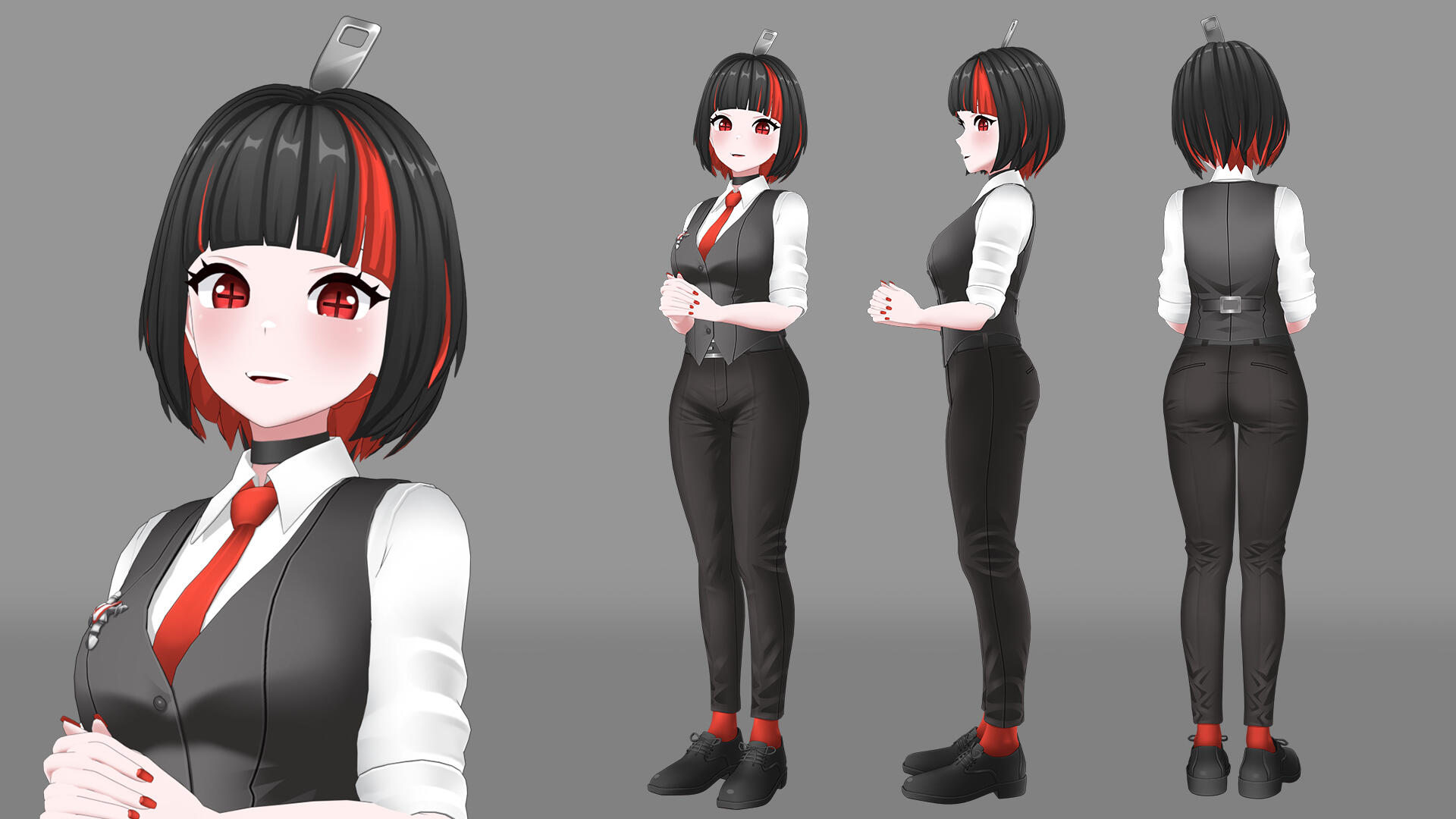
❥ 3D Model - VLightning
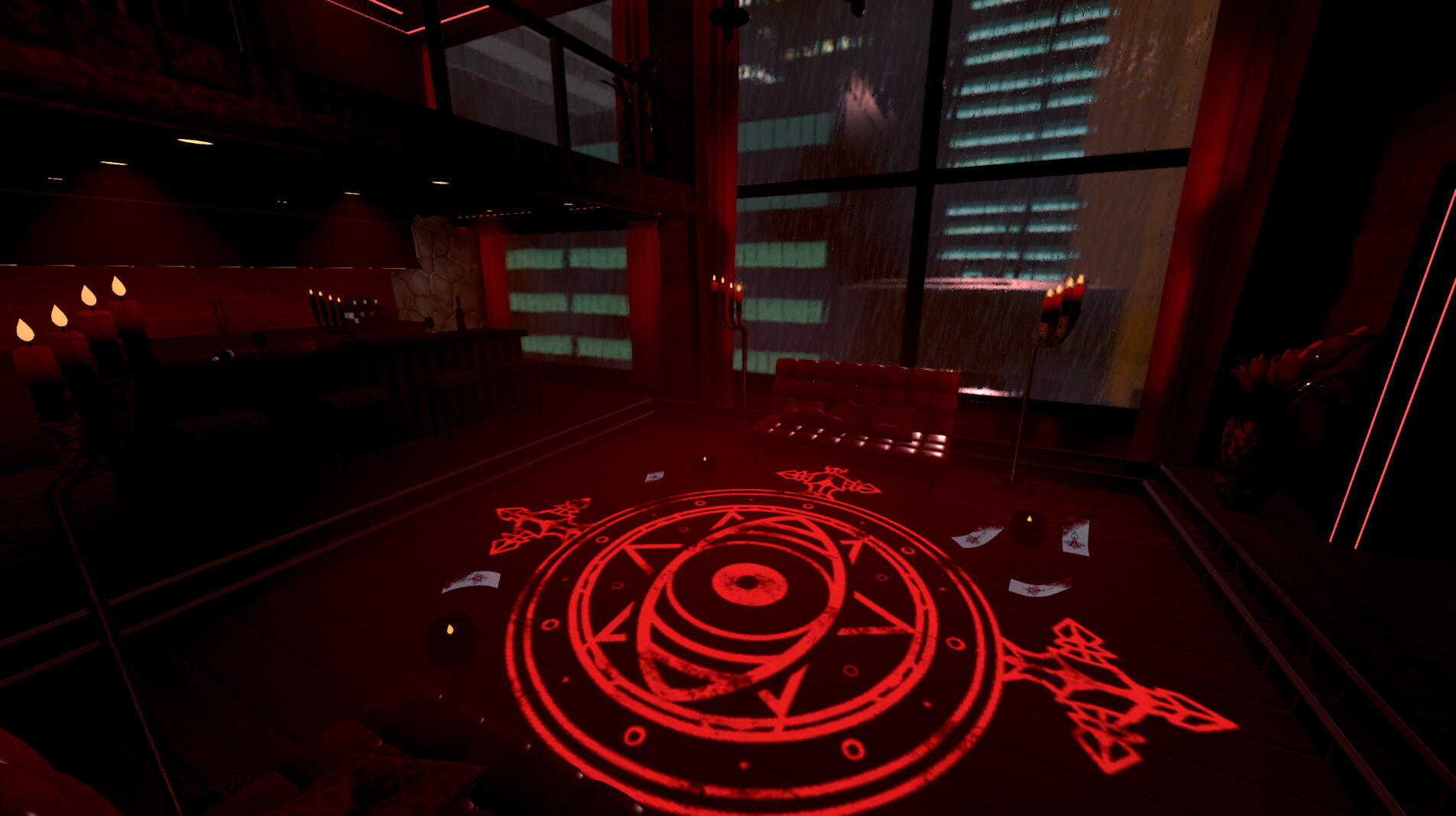
❥ 3D Environment - Bamfy Jifu & Rei21
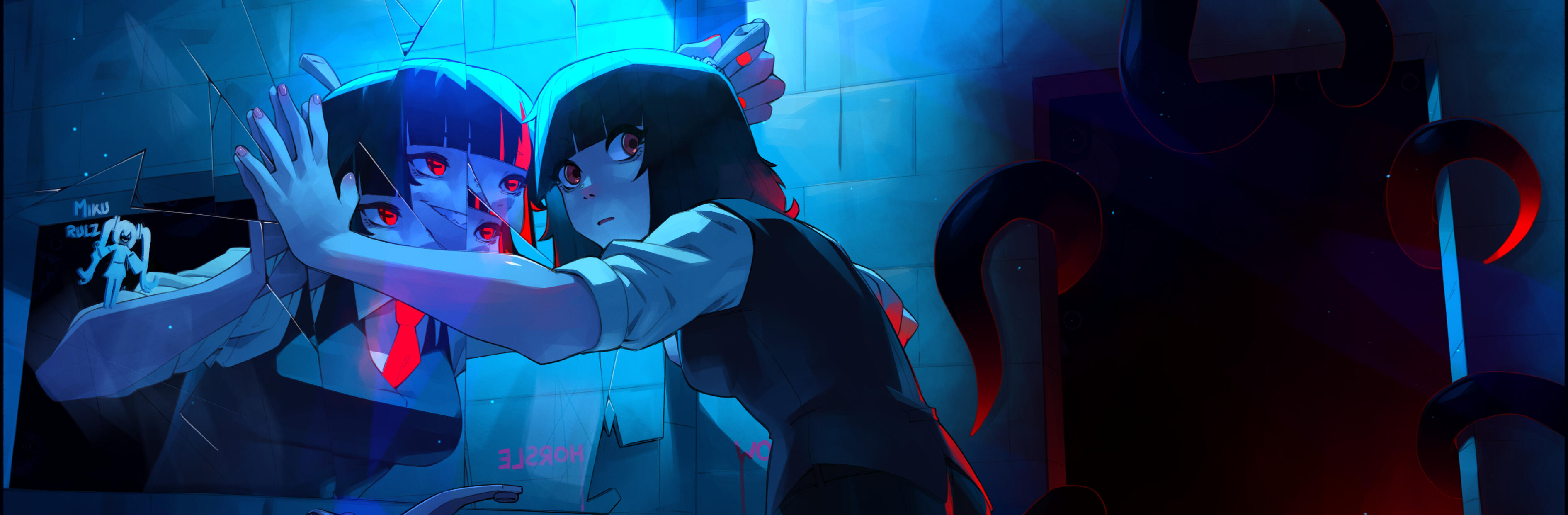
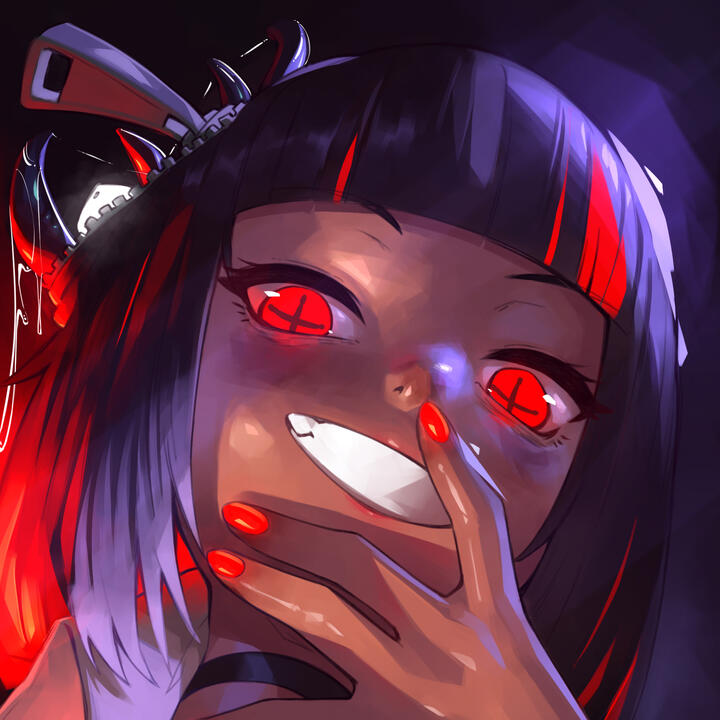
❥ Icon and Banner - SlimeDrippy 🔞
❥ Logo - pinkybirb
❥ Starting Soon Screen
- Art: Lynx
- Motion: hina
❥ Emotes - 88Studios
❥ Chat - WasabiStudio
❥ Alerts - mar
❥ Sub Badges - clariiiowo
❥ Panels - telor

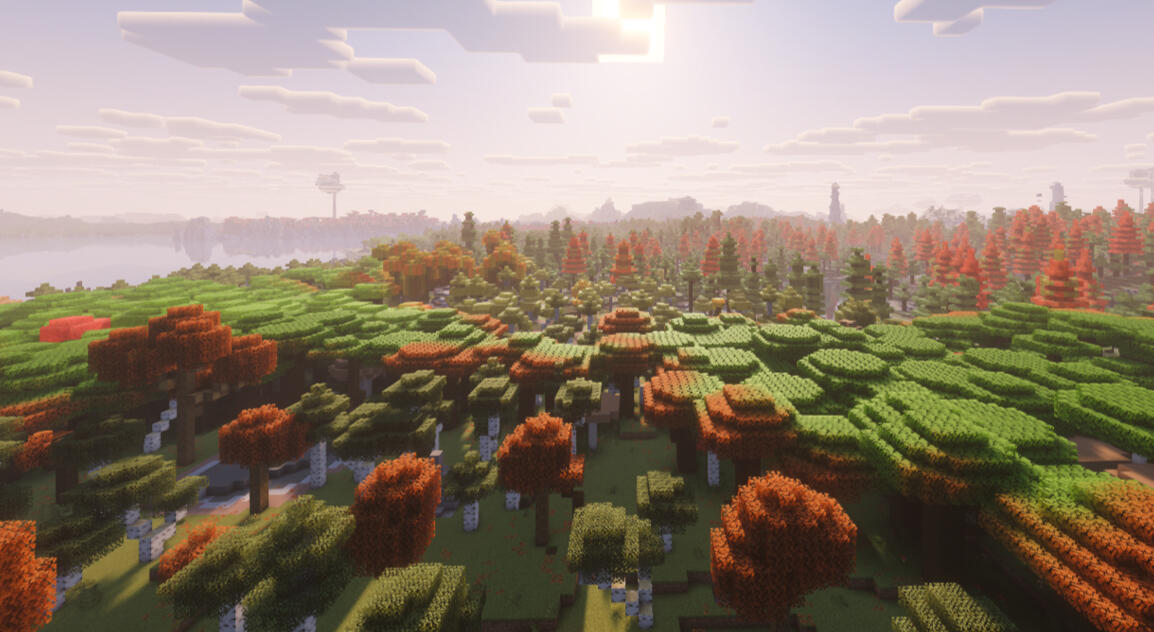
Thank you so much for your support! It truly does mean a lot and I cannot thank you enough.With your subscription to either Twitch or Patreon, you get access to the Supporter Only Minecraft Server! Play with other Vespies and connect with the community.If you haven't already please refer to the information in the Discord about how to join. This is for any features of the server you may be confused on.
This server also supports some mods! You can join on a vanilla client, but if you wanted to enhance your experience you can use these mods!

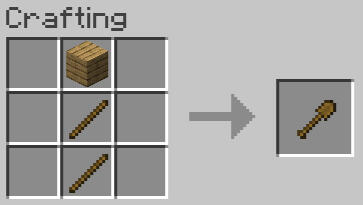
Claiming land on the Minecraft server is really easy! All you will need is a Wooden Shovel!1️⃣ First craft a Wooden Shovel
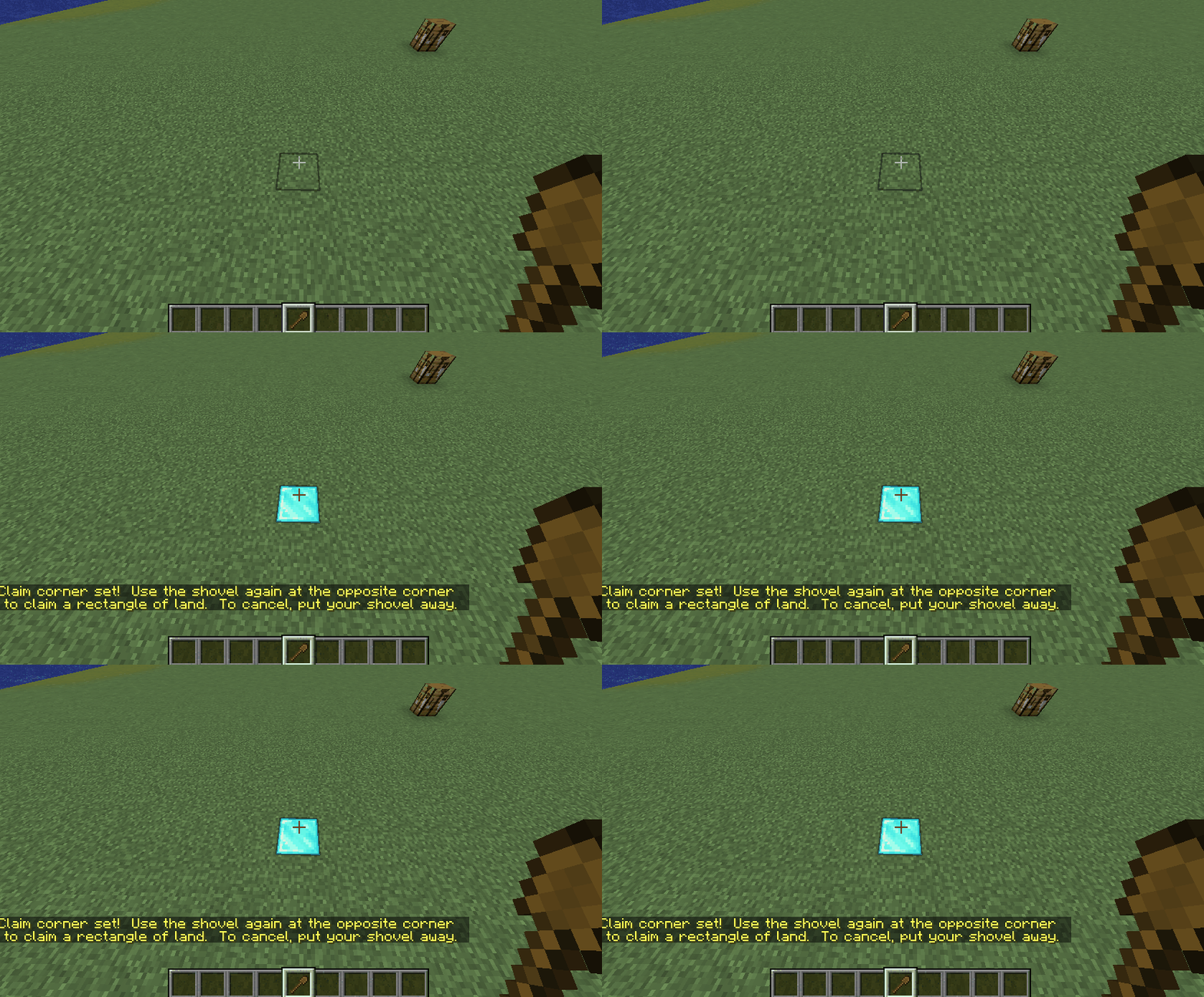
2️⃣ Using Right-Click select the first corner of your area you would like to claim.
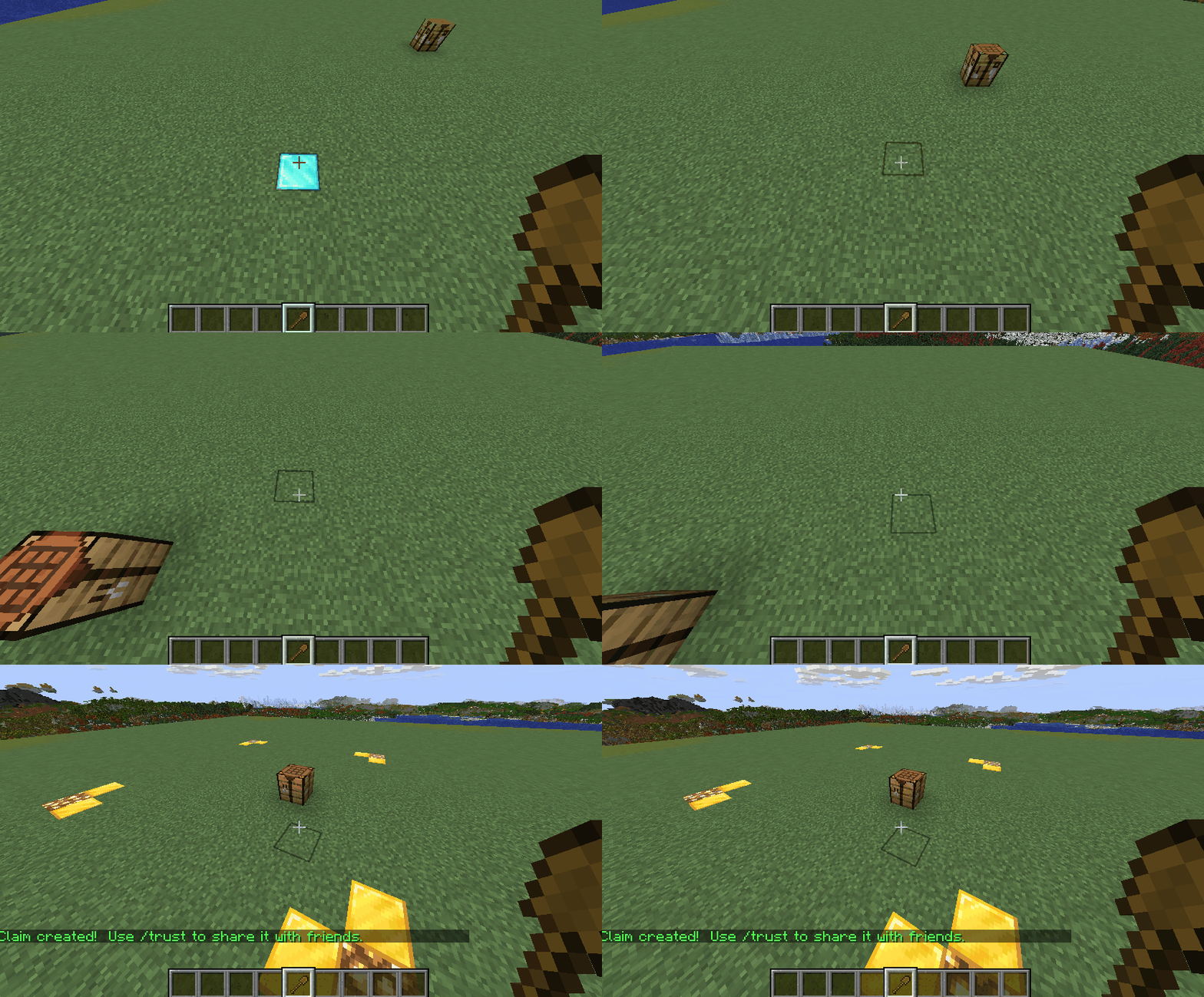
3️⃣ Next Right-Click again on the opposite corner of the area you would like to claim. You should now see the perimeter of the area you are about to claim.
Helpful Commands
⭐ /unclaim
This will unclaim the claim you are standing in.
⭐/trust <player name>
Allow another player to build within your claimed areas.
⭐/untrust <player name>
Deny a player from building within your claimed areas. By default no one but you is allowed to interact in these areas.

1️⃣ Place a chest down into the world with a sign that reads the following.
[Shop]
X Item Name
for
X Item Name
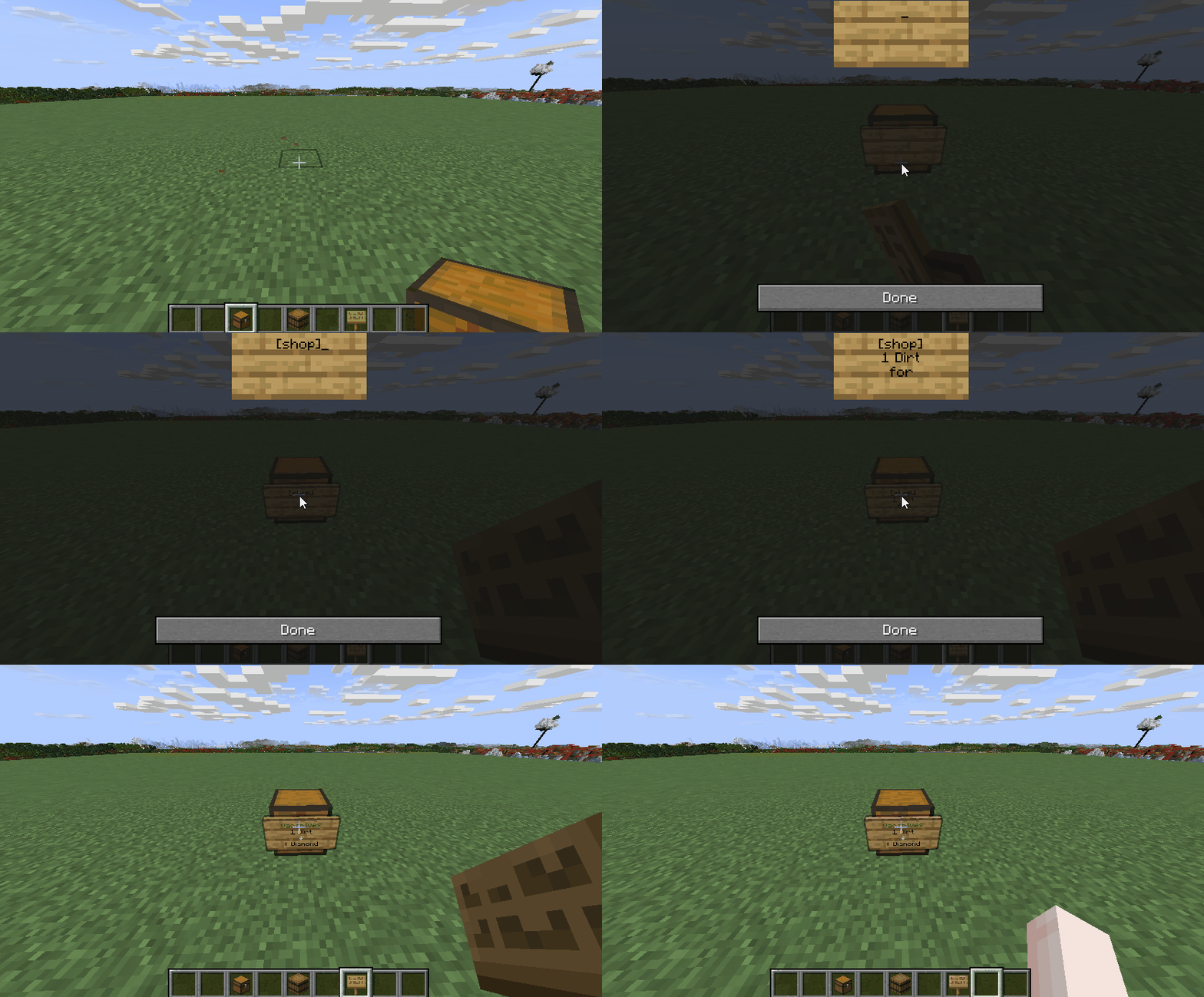
2️⃣ Open the chest and stock it with the items you want to sell to the user.
(Item on the bottom is the one the user recieves from the item on top)
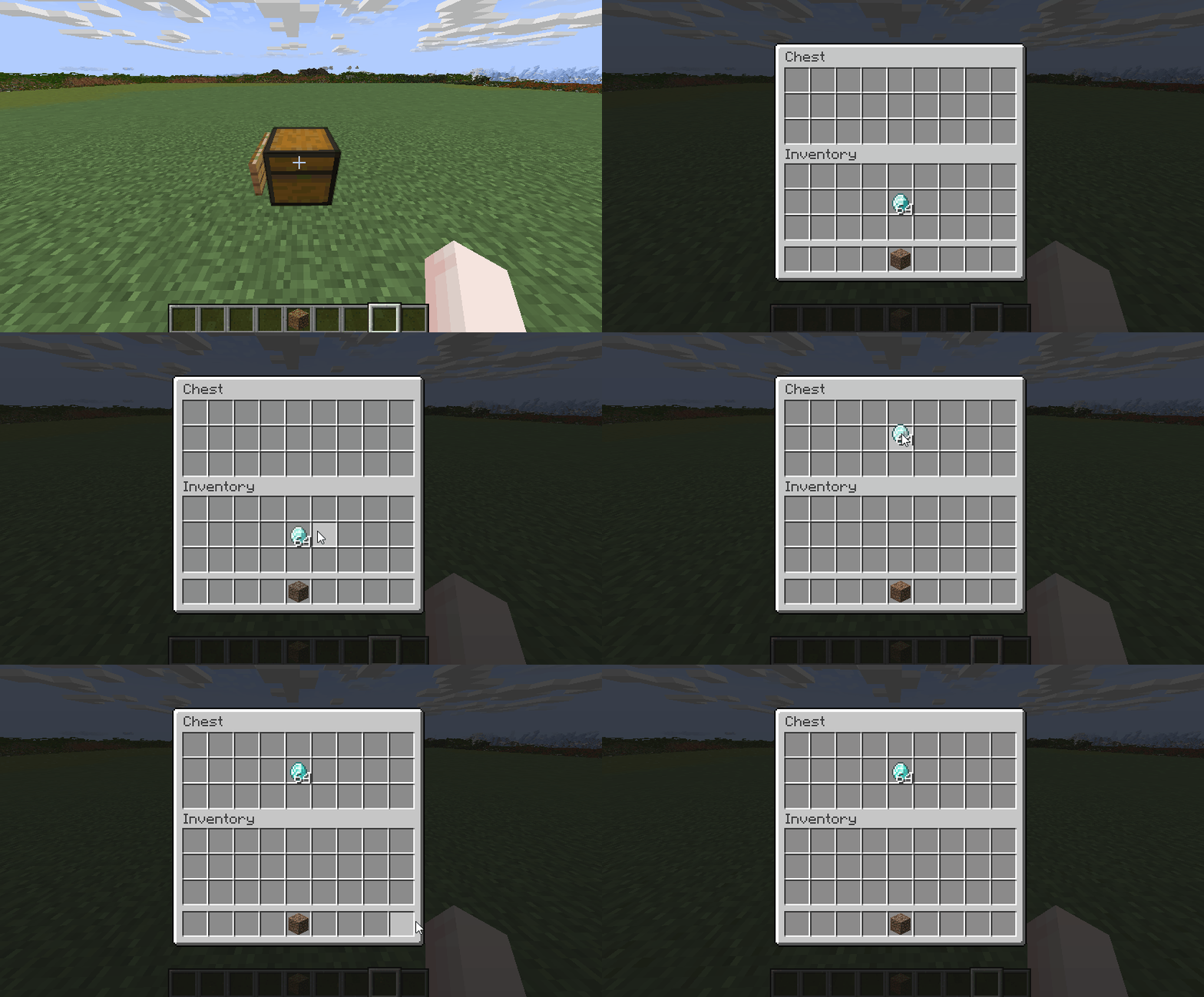
🎊 You've set up your shop! Make sure to check back on the shops frequently to get the items you've received in payment.⚠️ It is a best practice not to fully stock the shop as if a shop is full the items will drop on the floor.

⭐ Veinminer and Timber are enabled on the server! While mining an ore with a pickaxe hold Shift to mine the entire vein. When chopping a tree with an Axe hold Shift to cut down the entire tree!⭐ Only 25% of the server needs to be asleep for night to pass.⭐ /sethome and /home can be used to set a personal home location you can teleport to at any time with the /home command!

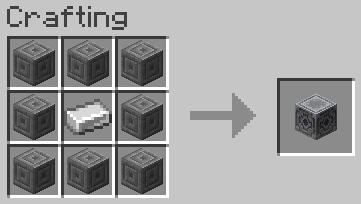
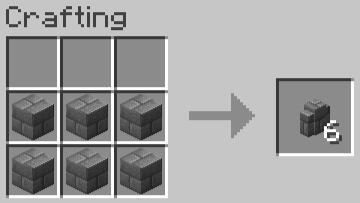
1️⃣ Craft a Lodestone and a Stone Brick Wall
2️⃣ Place the Stone Brick Wall and then the Lodestone on top of it. Once done, right click the Lodestone. A notifcation will appear in chat that you've done it correctly and particles will float around the Waystone.
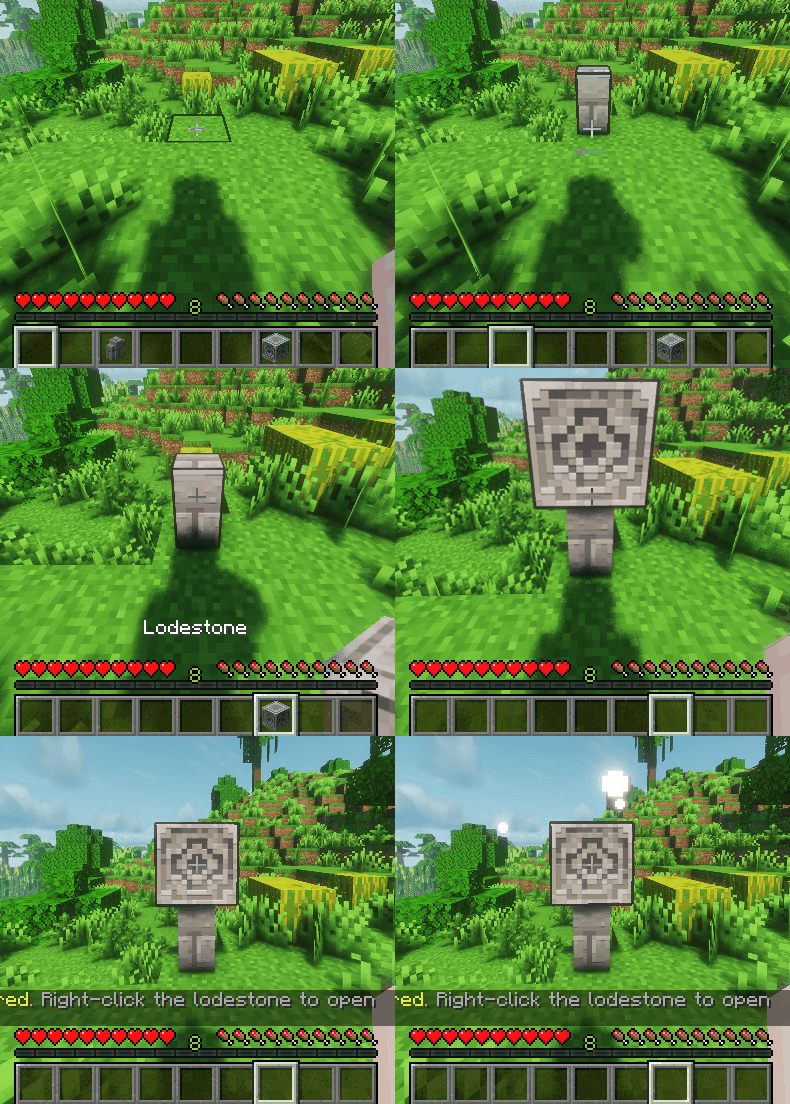
3️⃣ Right click the Lodestone again to open the Menu. Left clicking an icon will teleport you to the destination, right clicking will allow you to modify it.
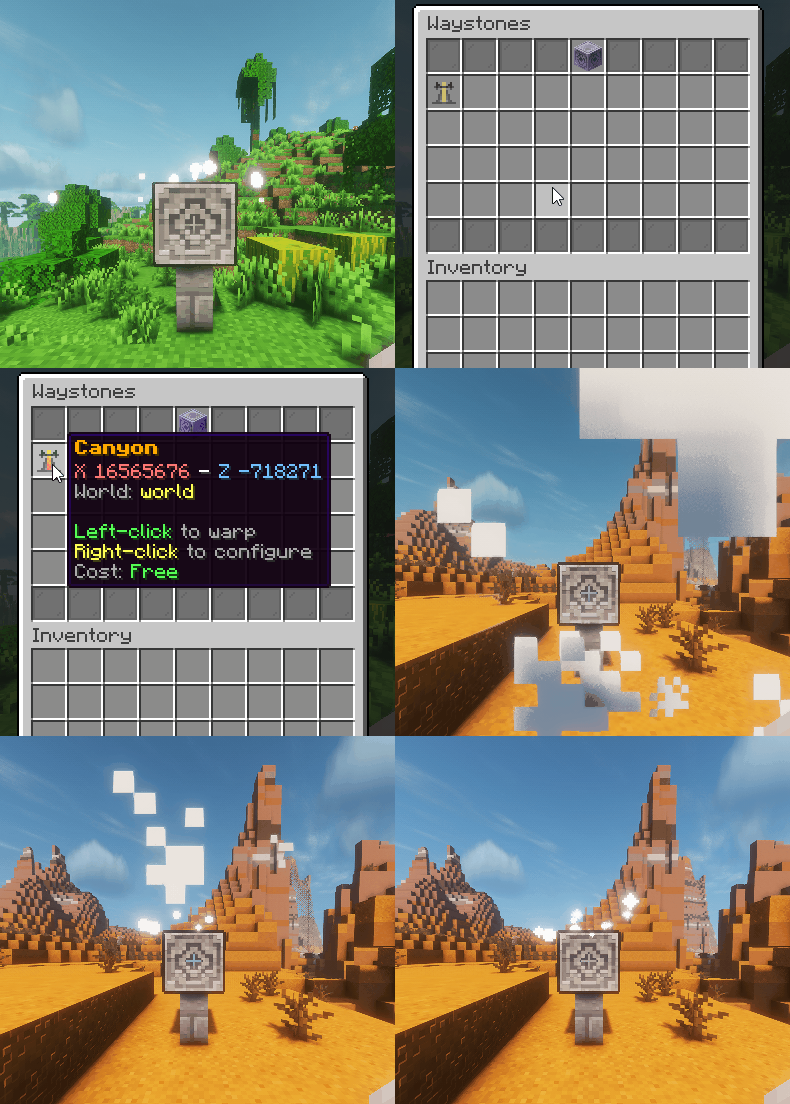
💡 Helpful Hint! Waystones can be shared with other players. Inside the config menu for the Waystone, you can click on the player head to share it with your friends so they don't have to register it themselves.

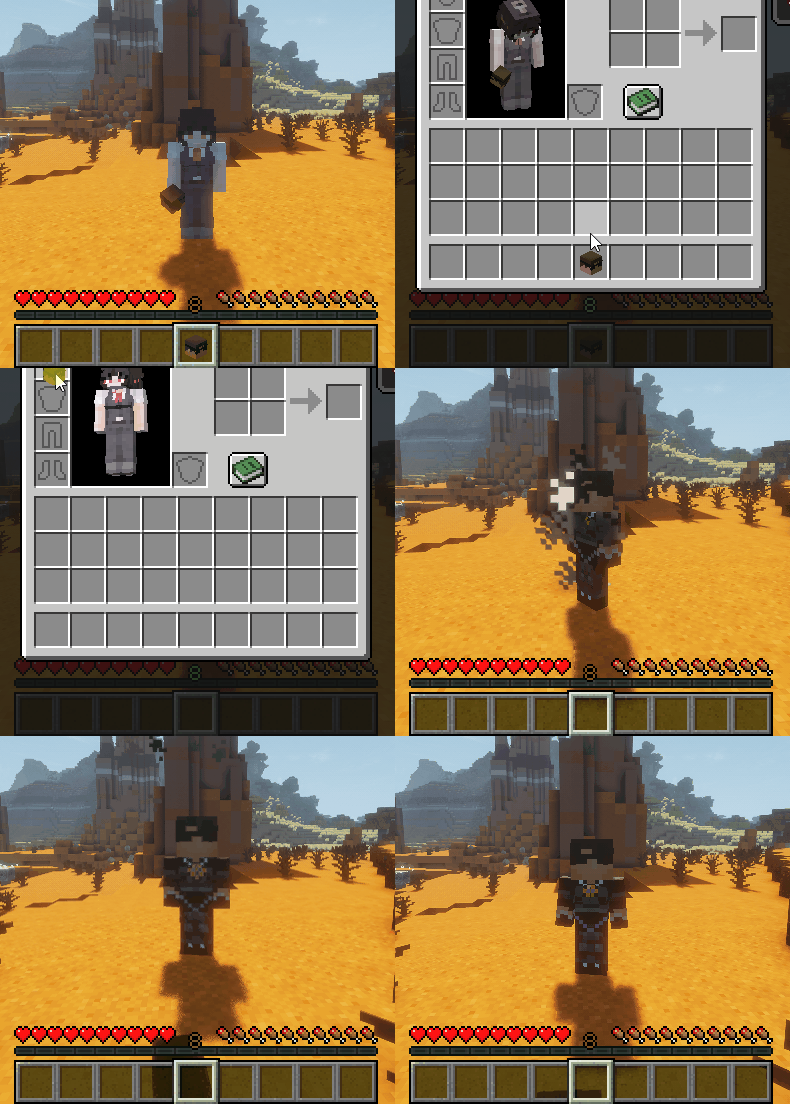
1️⃣ Whenever a player dies, they drop their head. Putting on this head will make you take on their skin and username. However this is purely cosmetic. In the Discord Channels you will still be shown as your normal username and the nametag above your head is not affected. Your name in chat is changed and in the playerlist though. Have fun with your new body!~